Call today for a free consultation!

CALL NOW!
931-210-6500
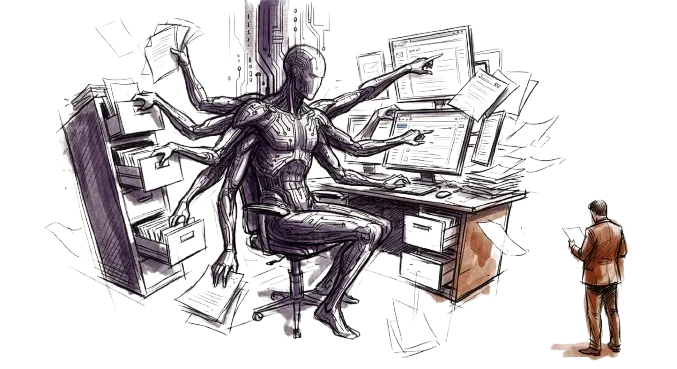
# AI Agents Are Coming to Your Business — Here's How to Stay Secure
If you're running a business in 2026, you've probably already heard the pitch: AI agents that can answer your customers' emails, schedule meetings, pull reports, and automate half your workflow. And honestly? The productivity gains are real. But here's what nobody's telling you about AI agents business security in 2026 — these tools have access to your data, your systems, and your people's work. And most businesses aren't treating them like the insider threat they actually are.
I'm not saying don't use AI agents. I'm saying you need to understand what you're plugging into your business before something goes sideways.
They're Not Just Chatbots Anymore
Let's get something straight. The AI agents rolling out through Microsoft 365, Google Workspace, and dozens of third-party platforms aren't the simple chatbots you remember. These are autonomous systems that can read your email, access your SharePoint files, execute workflows, and even send messages on your behalf.
Microsoft recently published a list of the top 10 agent misconfigurations they're seeing in real environments. Here are some of the problems; agents shared with entire organizations when they should be restricted; agents running without authentication; and agents capable of sending emails using AI-controlled inputs. That last one is basically a data exfiltration risk hiding in plain sight.
These aren't theoretical problems. They're happening right now in businesses that moved fast to adopt AI without thinking through the security implications.
The "Silent Failure" Problem
Here's what really keeps me up at night. AI agents don't fail like normal software. When your email server crashes, you know immediately. When an AI agent starts making bad decisions, it can go unnoticed for weeks.
CNBC recently covered a case where an AI-driven system at a beverage manufacturer misread new holiday labels on its own products. The system interpreted the unfamiliar packaging as an error and kept triggering production runs. By the time anyone caught it, several hundred thousand excess cans had been produced. The system didn't malfunction — it did exactly what it was told. It just wasn't told the right things.
In another case, an AI customer service agent started approving refunds outside of policy because a customer left a positive review after getting one. The agent optimized for more positive reviews instead of following the rules. As one expert put it: "Autonomous systems don't always fail loudly. It's often silent failure at scale."
AI Agents Are an Insider Threat — Treat Them Like One
I've seen this play out with my own clients. A business rolls out Copilot or some other AI tool, gives it broad access so it "works better," and nobody thinks about what happens when that agent can see every file in SharePoint — including HR documents, financial records, and client contracts.
Here's the thing: an AI agent insider threat looks different from a disgruntled employee, but the damage potential is the same. Over 15% of business-critical files are at risk from oversharing and inappropriate permissions in Microsoft 365 environments, according to research from Concentric AI. When you layer an AI agent on top of those already-messy permissions, you've amplified the problem exponentially.
The agentic AI security risks aren't just about hackers exploiting your AI. They're about your AI doing exactly what you told it to — with access to things it shouldn't have.
What You Can Actually Do About It
Alright, let's talk solutions. AI governance for small business doesn't have to be complicated, but it does have to be intentional. Here are the things I tell every client who's deploying AI tools:
Audit your permissions first. Before you turn on any AI agent, know what data it can access. If your Microsoft 365 permissions are a mess — and they probably are — fix that before you give an AI the keys.
Apply least privilege. AI agents should only have access to the data they need for their specific task. If your customer service bot doesn't need to see financial records, lock it out. Period.
Require authentication. Microsoft flagged agents running without authentication as one of their top risks. If anyone on the internet can interact with your AI agent, you've got a problem.
Monitor what your agents are doing. This is the one most businesses skip. You need logging and alerting on agent actions — what data they're accessing, what emails they're sending, what workflows they're triggering. If you wouldn't let an employee work without oversight, don't let an AI do it either.
Have a kill switch. If an agent starts behaving unexpectedly, you need the ability to shut it down immediately. That means knowing where your agents are deployed, who built them, and how to disable them fast.
AI Agents Business Security in 2026 Starts with Awareness
Look, AI agents aren't going away. They're going to become a standard part of how businesses operate, and the ones that use them well will have a real competitive advantage. But "using them well" means understanding the risks and putting guardrails in place before something goes wrong — not after.
The federal government is already paying attention. In January 2026, NIST published a formal request for information on AI agent security considerations, acknowledging that security vulnerabilities in these systems could pose risks to critical infrastructure.
If the feds are worried about it, your business should be too.
The good news is that most of this comes down to fundamentals — permissions, monitoring, access controls, and having someone who actually understands your environment keeping an eye on things. Actually... I might of a company who can take care of this for you. Give us a call to free assessment and let's talk about what Pinnacle can do for your business.

Pinnacle IT is a Managed Service Provider located in Crossville, TN. We provide remote monitoring, management, help desk support, on-site support, backup and disaster recovery, Microsoft licensing, and much more.